Points & Viewers
Created 31 Jul 2026·Updated 11 Sept 2026
Open Users in TipLinkTipLink remembers the people who show up. Every viewer who tips, follows, subscribes or chats gets a record, and each record carries a points balance.
Points are your own channel currency. Viewers earn them by taking part, and spend them on things you decide, using chat commands.
Do I Have to Set Anything Up?
No. Viewer tracking is on from the moment you connect a platform. Open the Users page and you will see people appear as events come in.
Points are a little different. Tips add to a viewer's balance automatically, but everything else starts at zero until you turn it on. See Earning Points.
Chat messages are excluded on every account by default, which means TipLink never sees them. If you want chat-only viewers tracked, or points awarded for chatting, open that account's settings on the Platforms page and remove Chat Message from Excluded Events.
The Users Page
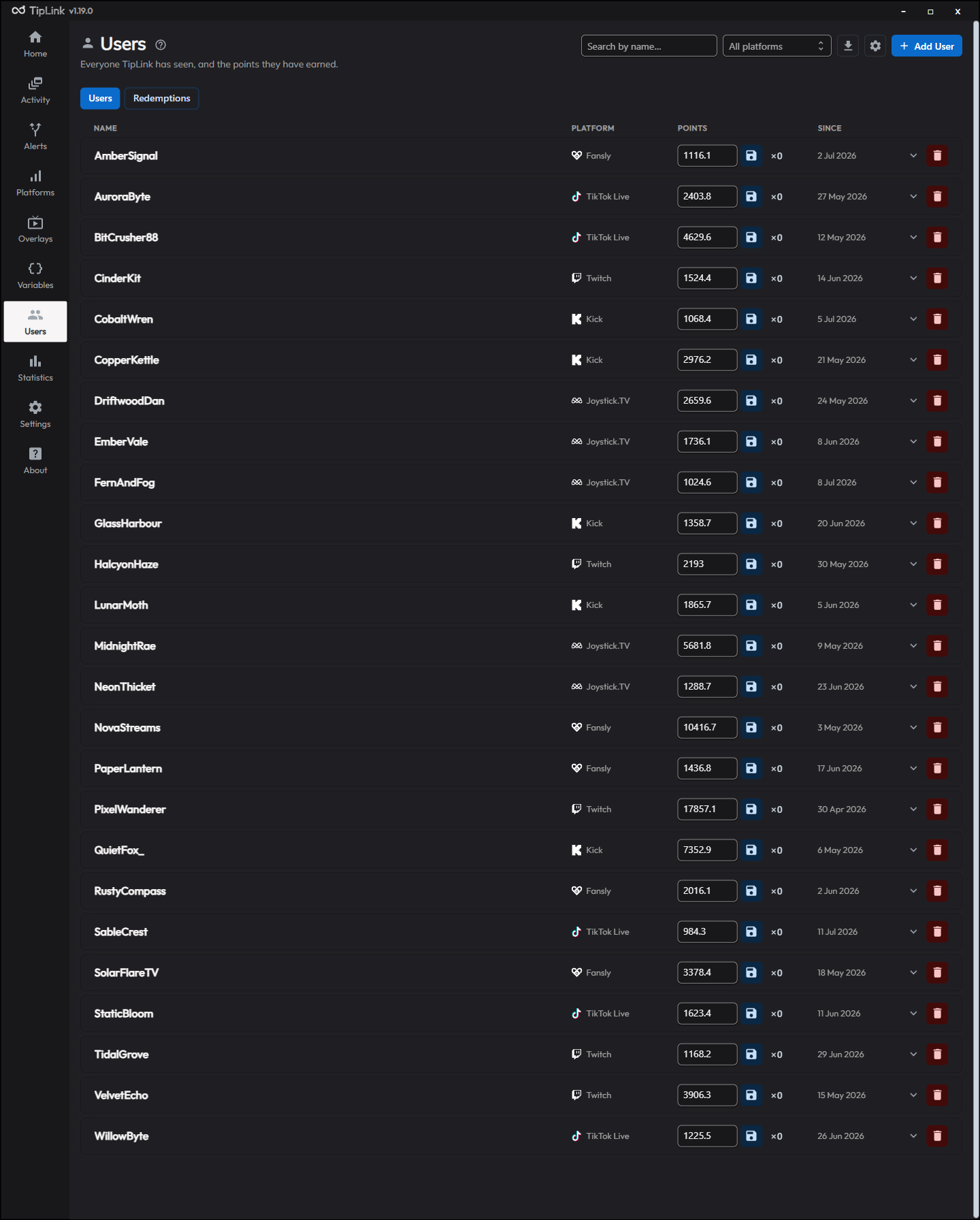
Open Users from the left sidebar. There are two tabs at the top: Users and Redemptions.
The Users tab lists every viewer TipLink knows about.
| Column | What it shows |
|---|---|
| Name | The viewer's current display name. |
| Platform | Where TipLink first saw them. |
| Points | Their balance. You can edit this directly. |
| Since | When they first followed, or when the record was created. |
Finding someone
Use the Search by name box, or the All platforms dropdown to narrow to one platform. Search also matches names a viewer has used in the past.
The list is paged at 50 viewers per page. Use the arrows at the bottom to move between pages, or search to jump straight to someone.
Changing someone's points
Click into the points box on their row, type a new number, and press Enter. You can also:
- Click the save icon to confirm your edit.
- Click ×0 to reset that viewer to zero.
Seeing more detail
Click a row to expand it. You will see:
- Platform User ID - the ID the platform itself uses for that person.
- Name History - every name they have used, with the date it changed.
- First Followed - when they first followed you.
- TipLink User ID - the internal ID, useful when picking a specific viewer in an alert action.
Adding someone by hand
Click Add User, enter a display name, choose a platform, then click Create. Useful for seeding a balance for someone before they have interacted.
Removing someone
Click the bin icon on their row and confirm. This cannot be undone.
To clear everyone at once, go to Settings, unlock the Danger Zone and use Clear All Users (Points). Viewers are recreated automatically as new events arrive.
Exporting Your Viewers
Click the download icon at the top of the Users tab to save every viewer and their points balance as a CSV file, ready to open in a spreadsheet.
Viewers and points are also included in every full backup.
How TipLink Recognises People
TipLink matches a viewer by the platform's own user ID where it can, and falls back to their display name where it cannot.
This means:
- If someone changes their name, TipLink keeps their points and records the old name in their history.
- Viewers are tracked per platform. The same person on Twitch and on Kick is two separate records with two separate balances.
Some platforms do not send a user ID with every event. For those, TipLink has to go by display name alone, so a name change creates a new record instead of updating the old one. Their name history will be empty.
Repeat Follows
By default, TipLink marks a follow from someone who has already followed you before as a Duplicate Follow and does not fire your follow alerts again. This stops viewers farming rewards by unfollowing and following back.
Turn this off with Block Repeat Follow Alerts in Settings.