Activity
Don't have TipLink yet? Download it here.
How can I trigger an event again?
To trigger an event you've already received again, simply click the circular arrow icon next to the event.
.png)
This will produce a new event, marked clearly with the text "Replayed".
.png)
Why can't I see chat messages?
info
Make sure your platforms are set to capture Chat Message events - they're excluded by default. Go to the Settings page for your chosen account to check this.
By default, Chat Message events are hidden from the Activity page. You can make them visible using the three dots (⋮) on the right.
.png)
What does each status message mean?
| Status | What it means |
|---|---|
| In Queue | The event is waiting in the queue, and hasn't been processed yet. |
| No Matching Alert Found | The event didn't match any of your configured Alerts, and was ignored. |
| Processing | The event is currently being processed. |
| Success | All of the matching Alert's Actions succeeded. |
| Partial Failure | Some (but not all) of the matching Alert's Actions failed. |
| Complete Failure | All of the matching Alert's Actions failed. |
| Error | Something unexpected happened while processing the event, and may have partially failed. |
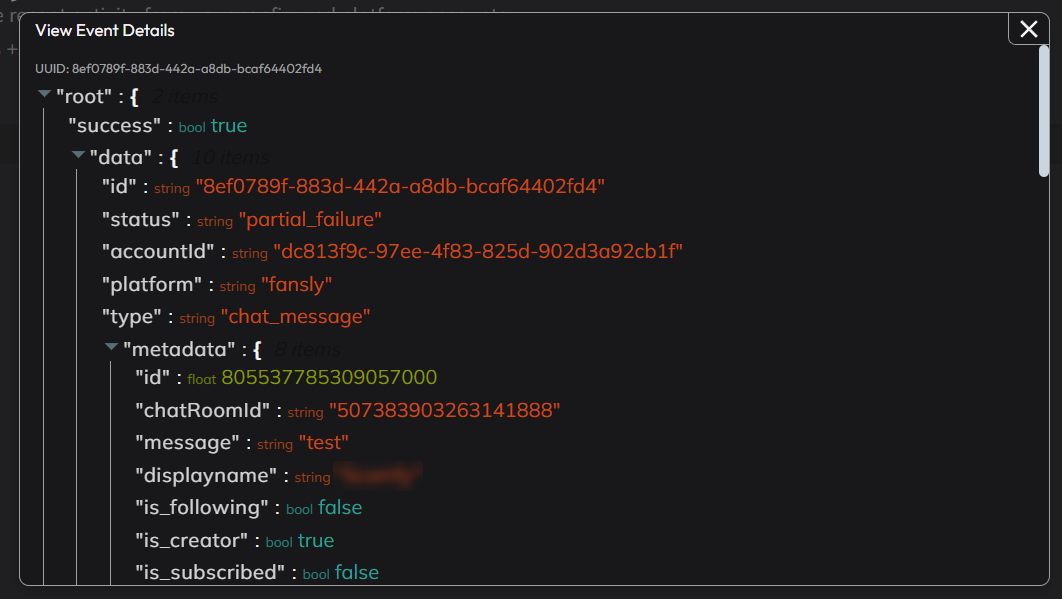
Viewing Event Details
You can view the full details of an event using the magnifying glass button - this is shown on the right-hand side of each event in the Activity page.
This includes information like:
- The original event's raw details.
- Results from each individual action.
- Options to export the full details to your clipboard.